INFs ADMINS in SAE Roblox Wiki Scripts Collection
Optional helpers beyond the free built-in Inf Admin panel
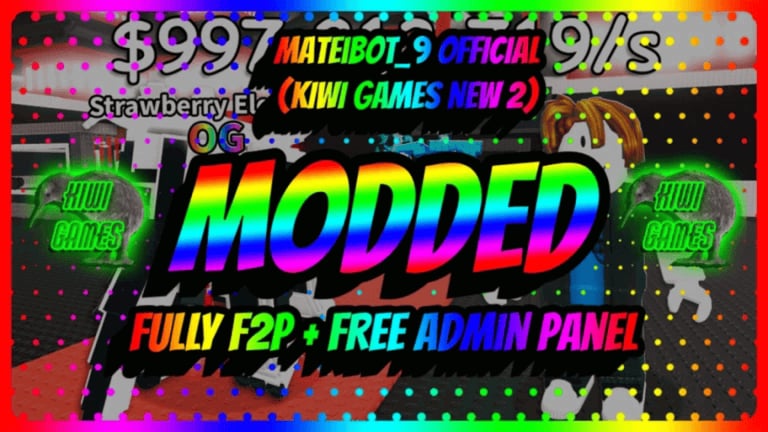
INFs ADMINS in SAE already ships a free Inf Admin panel on the side of the screen: set money, set rebirth, spawn brainrots (name, mutation, trait, speed), and trigger events, weather, or day-night. Official Steal a Brainrot often locks a similar panel behind a paid gamepass — here you do not need that pass.
Some players still look for external scripts that add quality-of-life automation on top of the built-in panel. This page explains common feature types and safety rules. It does not paste raw loadstrings or installer steps that look like malware instructions.
Built-in First
Before hunting external tools, open the side Admin button and confirm you can:
- Set money and set rebirth
- Spawn brainrots with custom fields
- Fire weather / events
If those work, you may not need any third-party script. The mid-article video shows panel-style spawning and event tools in action.
Common Script Feature Types
Community scripts for Inf Admin / SAB-style places usually advertise one or more of these features:
Auto Steal
Attempts to automate approaching and stealing brainrots from other bases. Useful on public servers if you want AFK-ish steal pressure; risky if detection or anti-cheat changes.
ESP
Draws boxes, names, or tracers toward players or brainrots through walls. Helps plan steals and avoid slap ambushes.
Fly / Noclip
Client movement helpers for scouting routes, escaping, or filming. Overlap with panel movement tools when those exist.
Spawner Helpers
UI wrappers that spam brainrot spawns or events faster than clicking the stock panel. Easy to create lag — prefer a private server.
Misc QoL
Auto collect, simpler command menus, or keybind overlays. Prefer minimal scripts over “all-in-one” mystery packs.
Safety Rules (Read These)
- Never enter your Roblox password into a script, Discord “admin bot”, or random website.
- Prefer well-known community discussion over random file downloads.
- Use an alternate account when testing anything unfamiliar.
- Assume third-party executors can violate Roblox Terms of Service and risk moderation.
- If a script asks you to disable antivirus or paste obfuscated blobs you do not understand — stop.
- The free in-game Inf Admin panel does not require an executor.
How to Evaluate a Script Without Pasting Malware
- Read what features it claims (auto steal, ESP, fly, noclip, spawner).
- Check recent player comments for account theft reports.
- Test only on an alt inside a private server.
- Watch for unexpected friend requests, password prompts, or browser redirects.
- Remove the tool if the built-in panel already covers your goal.
When Scripts Are Unnecessary
You probably do not need external scripts if you only want infinite money, rebirth edits, custom brainrot spawns, or weather/events — Inf Admin already covers those. Scripts are optional extras for automation or ESP-style advantages, not a requirement to “unlock” the game.
Related Pages
- Getting Started — Admin button and first session
- Admin Commands — panel +
;rocket;jail;morphstyle tools - How to Play — SAB loop with Inf Admin
- Private Server — lag control while testing
- Tier List — which powers matter most
Stay curious, stay skeptical, and default to the free built-in panel.
Frequently Asked Questions
Quick answers to the most common questions.
Do I need a script to use Inf Admin?
No. Inf Admin is built into the game and free via the side Admin button. Scripts are optional extras for features like auto steal or ESP.
What script features are common for this game?
Players usually look for auto steal, ESP, fly, noclip, and spawner helpers. Prefer describing features over running unknown loadstrings.
Are external scripts safe?
They can put accounts at risk and may break Roblox rules. Use alts, never share passwords, and skip anything that demands disabled antivirus or credential input.
Will using scripts get me banned?
Third-party executors are against Roblox Terms of Service. Built-in Inf Admin is part of the experience; external injection is the risky part.